SoftOrbits Unveils the Top 5 Mistakes People Make When Working with Digital Photos

(Sponsored) SoftOrbits, a software development company founded in 2006 and a veteran in the image data management industry, has shared the results of an extensive study showcasing the most common mistakes users make when handling digital photos.
The team analyzed over 7,000 technical support cases and surveyed around 2,000 photography enthusiasts to reveal some of the biggest pain points in digital photo management and editing.

Top 5 common mistakes when working with digital fotos
Not backing up your photos
As it turns out, 78% of users rely solely on their device’s internal storage, which leaves them at risk of losing precious memories if their hardware fails. While you can recover lost data with tools like SoftOrbits Flash Drive Recovery, it is much easier to prevent data loss than to fix it.
Recommendation: Follow the 3-2-1 backup rule. Store three copies of your photos: two on different devices, and one in a cloud storage service.
Side note: according to Backblaze, fewer than 15% of users feel that their most important files are securely backed up. Make sure to be one of them!
Improper handling of RAW files
RAW files contain uncompressed and unprocessed image data captured by a digital camera. Although they take up significant storage space, they also preserve maximum image quality and can be invaluable for future professional editing. Unfortunately, 65% of users delete original RAW files within six to twelve months after processing them to free up space, losing their potential forever.
Recommendation: create a dedicated storage solution for RAW files with archiving options. Cloud services offering data compression and encryption are excellent choices

Over-editing photos
Excessive editing is the third most common mistake, affecting 59% of users. Beginners tend to misuse pre-set filters that aren’t suitable for all types of photos, which results in overly “acidic” pictures with oversaturated colors, excessive sharpness, and extreme contrast. These unnatural-looking images then require restoration to the original form.
Recommendation: Start with minimal adjustments and increase them only as necessary. Adaptive presets, like those offered by SoftOrbits, can help maintain natural results.
Ignoring color space settings
Over 52% of users neglect to configure color space settings, which leads to color inconsistencies when printing or viewing photos across different devices.
“AdobeRGB and sRGB are the two most popular color spaces that determine how colors appear on screens and in print. In general, if you’re a beginner, stick with sRGB, and you won’t have to deal with most issues regarding color consistency. AdobeRGB offers a wider color range and is better suited for printing images, though ensuring color consistency can be trickier,” reminds Eugene Ustinenkov, CEO of SoftOrbits with more than 10 years of software development experience.
Recommendation: Always adjust your color space settings to match your intended output—whether digital or print.
Uncalibrated monitors
SoftOrbits’ study revealed that nearly 48% of users work with uncalibrated monitors, essentially editing photos “blind”. This oversight is critical for professional photo retouching, where accurate tones and colors matter most.
Recommendation: Adobe advises calibrating your monitor at least once a month. Tools like Datacolor Spyder can make calibration simple and effective.
Why these mistakes matter
Each one of these mistakes can significantly worsen your experience with photography as a whole, which is why it is so crucial to avoid them. Here’s what’s at stake:
| Mistake | Potential consequences |
|---|---|
| No backups | Complete loss of your photo collection |
| Incorrect color space settings | Distorted colors in print or on-screen |
| Over-editing | Artificial, “plastic” look that detracts from photo realism |


Practical tips to avoid photo mishaps
The team behind SoftOrbits suggests a few simple tips that can prevent most issues both amateurs and professionals can struggle with.
- Create backups of your photos regularly. Use automated software solutions for backups.
- Organize your archives. Separate files by type (RAW, processed JPG, originals) for easier access.
- Leverage batch processing tools. SoftOrbits offers features for automatic corrections that maintain photo naturality, saving time and effort.
Did you know? Implementing automated tools can reduce photo editing time by up to 60%, according to internal company data.
How SoftOrbits ensures that your photos are safe at all times
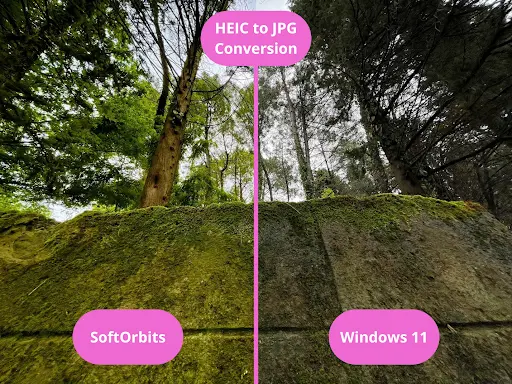
SoftOrbits has resolved many common struggles associated with image editing and preservation. The team offers more than 20 solutions, including high-quality converters, batch picture protection and resizing tools, and various image editing software.
“Ensuring the best experience and protecting our users’ images from loss or any form of corruption is what SoftOrbits is all about. We’ve started the company to help photography enthusiasts deal with the most common issues and roadblocks, and now we can use almost two decades of experience to do it as efficiently as possible,” says Eugene Ustinenkov, CEO of SoftOrbits, Candidate of Technical Sciences.

Editorial responsibility: Matthias Camenzind, Editor-in-Chief · Editorial standards · Report an error
Read More from The Rio Times